A small tool to convert between various media formats from your file manager's context menu
Available for Nautilus, Dolphin, Nemo and Thunar; with many customization options
Features
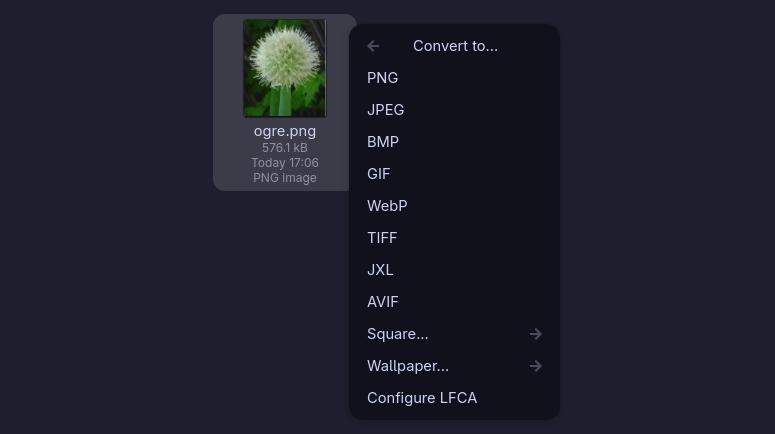
- Conversions between many file formats
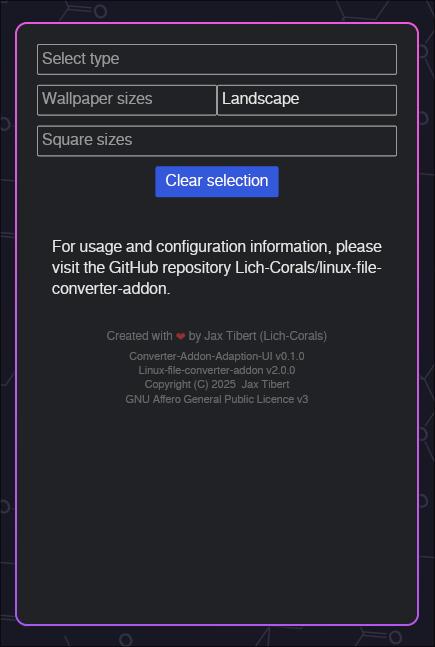
- Conversions to squares and wallpaper formats
Installation & Support
Quick installation
1. System dependencies
First, install the mandatory requirements with your package manager:| Package manager | Command |
|---|---|
| apt / apt-get | apt install python3-pip python3 python3-nautilus |
| dnf | dnf install python3-pip python3 nautilus-python |
| pacman | pacman -S python-pip python python-nautilus |
| zypper | zypper in python313 python313-pip python313-nautilus |
2. Pip dependencies
When these dependencies are installed, run the following command to install all other dependencies (including optional ones):
python3 -c "$(curl -sS https://codeberg.org/Lich-Corals/linux-file-converter-addon/raw/branch/mistress/nautilus-fileconverter.py)" --create-venv --full
Or run this command to only install mandatory dependencies:
python3 -c "$(curl -sS https://codeberg.org/Lich-Corals/linux-file-converter-addon/raw/branch/mistress/nautilus-fileconverter.py)" --create-venv
3. Install the script
For Nautilus:
python3 -c "$(curl -sS https://codeberg.org/Lich-Corals/linux-file-converter-addon/raw/branch/mistress/nautilus-fileconverter.py)" --install-for-nautilus
For Nemo:
python3 -c "$(curl -sS https://codeberg.org/Lich-Corals/linux-file-converter-addon/raw/branch/mistress/nautilus-fileconverter.py)" --install-for-nemo
For Thunar:
python3 -c "$(curl -sS https://codeberg.org/Lich-Corals/linux-file-converter-addon/raw/branch/mistress/nautilus-fileconverter.py)" --install-for-thunar
For Dolphin:
python3 -c "$(curl -sS https://codeberg.org/Lich-Corals/linux-file-converter-addon/raw/branch/mistress/nautilus-fileconverter.py)" --install-for-dolphin
For all of the above at once:
python3 -c "$(curl -sS https://codeberg.org/Lich-Corals/linux-file-converter-addon/raw/branch/mistress/nautilus-fileconverter.py)" --install-for-all
4. Finalizing the installation
If you've installed the program for Thunar or Nemo, please follow these steps to finalize the installation.Manual installation
If anything doesn't work with the installation instructions above, please open an issue and try to manually install the program, following the instructions here.Support
If you need help or want to suggest a change, please see the issues page.Screenshots